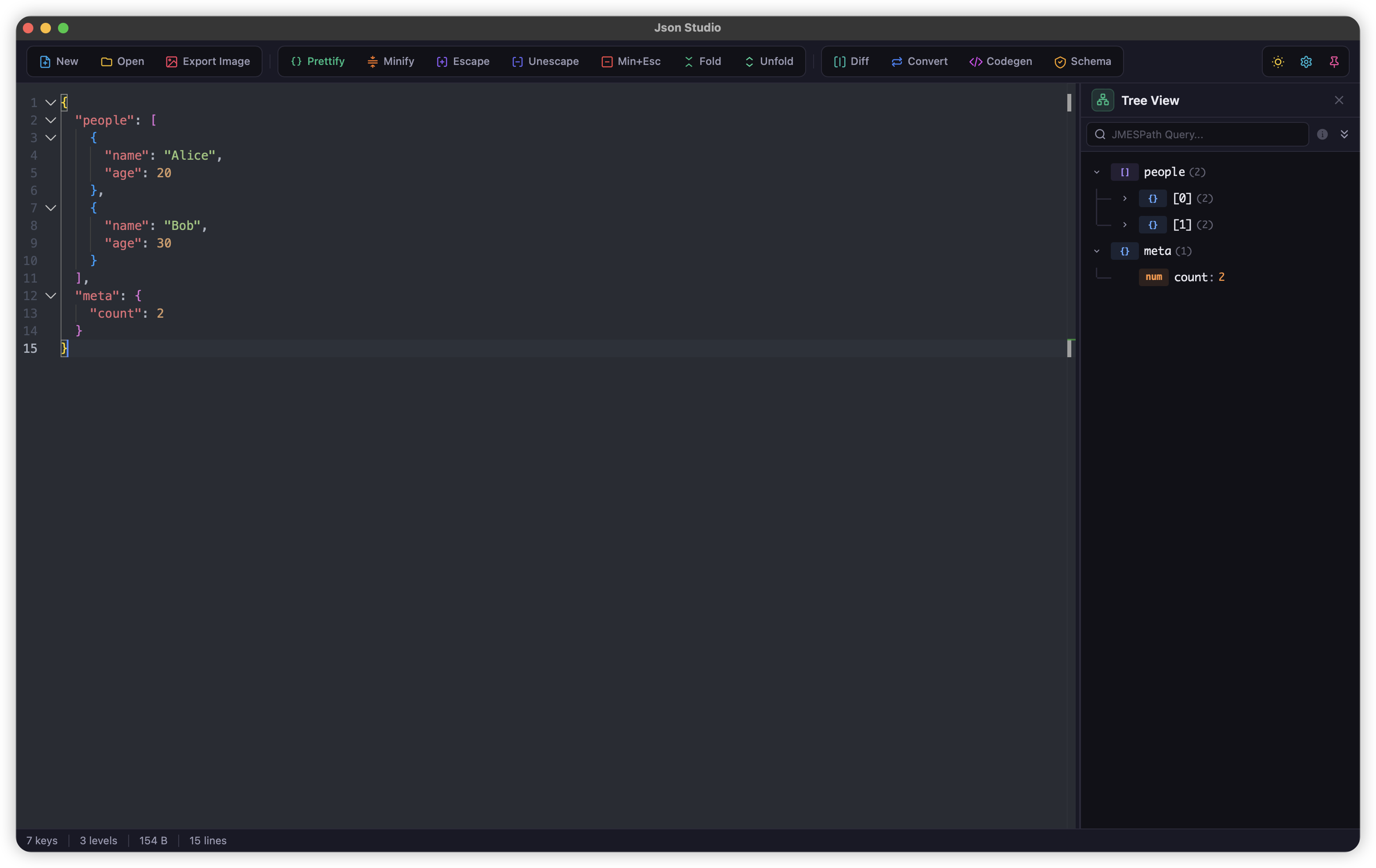
Why Use JsonStudio JSON Formatter?
JsonStudio's JSON formatter is a native desktop application designed for developers who need to format, beautify, and prettify JSON data quickly and securely. Unlike online JSON formatters that require internet connection and may have privacy concerns, JsonStudio runs 100% offline on your computer.
JSON Formatter Features
Syntax Highlighting
Color-coded JSON with bracket pair colorization for easy reading and navigation.
Auto-format on Paste
Paste unformatted JSON and it's instantly beautified with proper indentation.
Customizable Indentation
Choose 2 spaces, 4 spaces, or tabs. Adjust to match your project's coding style.
JSON Validation
Real-time error detection with detailed error messages and line numbers.
Multi-tab Editing
Work with multiple JSON files simultaneously. Drag and drop tabs to reorder.
Find & Replace
Powerful search with regex support. Find and replace across your JSON data.
Code Folding
Collapse and expand JSON objects and arrays for better navigation of large files.
Minimap Overview
Bird's-eye view of your entire JSON file for quick navigation in large documents.
Multi-cursor Editing
Edit multiple locations at once with multi-cursor support, just like VS Code.
10+ Color Themes
Choose from Dracula, Nord, One Dark, Monokai, and more. Light and dark modes available.
Drag & Drop Support
Drop JSON files directly into the app to open and format them instantly.
JSON Repair
Automatically fix common JSON syntax errors like trailing commas and unquoted keys.
How to Use JSON Formatter in JsonStudio
- Download and install JsonStudio from GitHub Releases (available for macOS, Windows, and Linux)
- Launch the app – it opens in under a second
- Paste your JSON data – it's automatically formatted on paste
- Or press
Ctrl+Shift+F(Windows/Linux) orCmd+Shift+F(macOS) to format manually - Copy the formatted result – or save it to a file with
Ctrl+S
JSON Formatter vs Online Tools
Here's why JsonStudio's JSON formatter is better than browser-based alternatives:
- Performance: Online JSON formatters struggle with files larger than 1MB. JsonStudio handles multi-MB files smoothly thanks to native Rust performance.
- Offline: Online formatters require internet. JsonStudio works anywhere, anytime.
- No ads: Online tools are cluttered with ads. JsonStudio is clean and focused.
- Professional editor: Online tools use basic textarea. JsonStudio uses Monaco Editor (same as VS Code) with syntax highlighting, code folding, multi-cursor editing, and more.
Frequently Asked Questions
Is JsonStudio JSON formatter free?
Yes, JsonStudio is completely free and open source (MIT License). No premium tiers, no paywalls.
Does it work offline?
Yes, JsonStudio works 100% offline. All JSON formatting happens locally on your computer.
Can it handle large JSON files?
Yes, JsonStudio can smoothly format JSON files of several megabytes. It's built with Rust for high performance.
What platforms are supported?
JsonStudio is available for macOS, Windows, and Linux. Download from GitHub Releases.
How is it different from online JSON formatters?
JsonStudio is a native desktop app that's faster, more private, and more powerful than online tools. It works offline, has no ads, and includes professional features like Monaco Editor, multi-tab editing, and customizable shortcuts.